
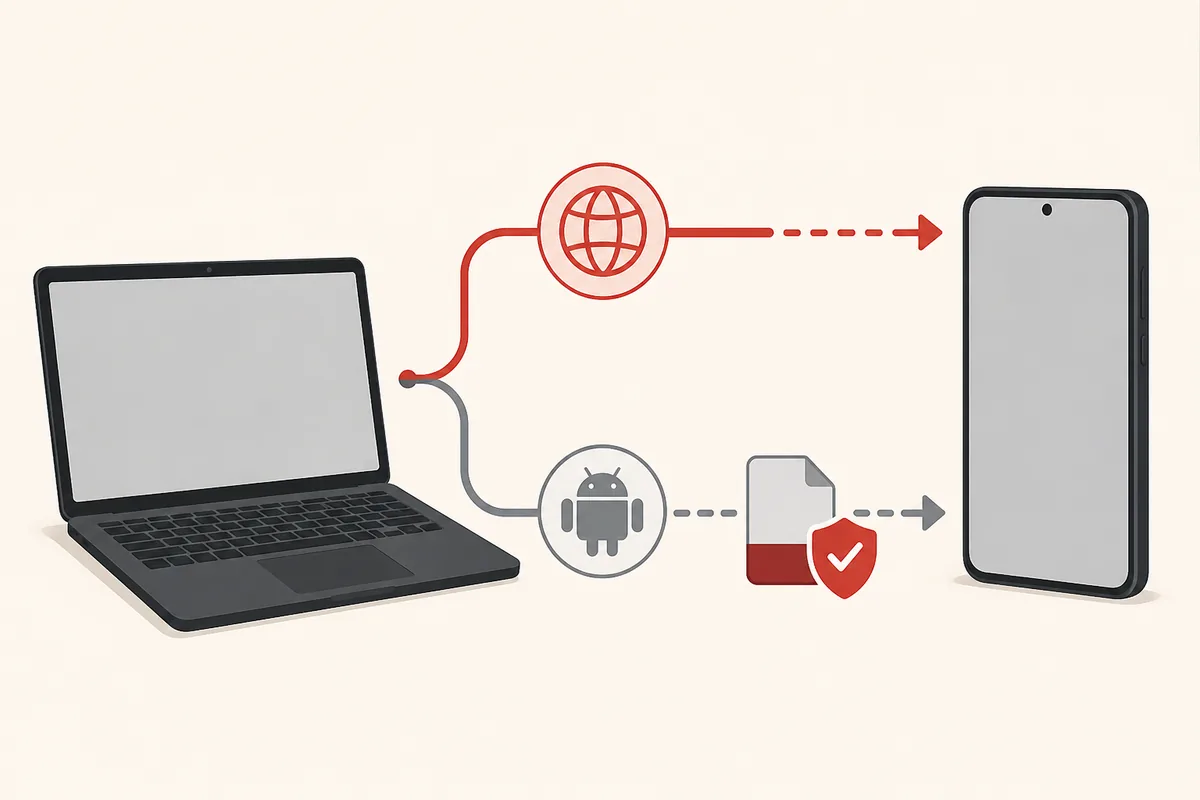
Quick answer: use the web or a verified Android runtime
An APK is an Android package, not a Windows program. This Tomato Animes PC guide covers the browser route and a traceable Android emulator path. If you only need the Tomato Anime and Manga web experience, use a browser and review the domain independently. If you have an APK with a traceable source, use a maintained Android emulator from its own developer-controlled website. The two routes have different privacy, performance, update, and verification risks.
What does Tomato Animes PC mean?
The phrase Tomato Animes PC is a platform query, not proof that one native Windows application exists. Search results can mix a Tomato-branded website, an Android package, emulator tutorials, and unrelated mirrors because they use similar names. Before choosing a download, identify whether your goal is browser access, Android app testing, anime playback, manga reading, or a current release record.
A browser page runs through the website and normally does not install an APK. An emulator creates an Android environment inside Windows and adds another software layer, virtual storage, network permissions, graphics settings, and input behavior. A native EXE would be a separate Windows program with its own publisher and installer evidence; an APK filename cannot authenticate that program.
This page therefore answers the narrower Tomato Anime and Manga on PC intent. It explains how to choose a route, how to preserve evidence before importing a package, and how to troubleshoot controls or playback without turning a third-party listing into an official download recommendation.
Browser or Android emulator: which route fits?
Start with the least privileged route that meets your goal. A browser is usually simpler when you want to browse a public web experience. An emulator is relevant only when a specific Android package is available from a source you can identify and verify. Neither route proves that the content is officially licensed or that a similarly named app and website share a publisher.
Use the comparison below before changing Windows settings or importing a file. It keeps the platform choice separate from the unresolved question of which Tomato package is authentic.

| Route | Best for | Checks and limits |
|---|---|---|
| Browser | Reading or viewing a web experience without installing an APK | Confirm the domain, privacy policy, redirects, content rights, and account behavior. |
| Android emulator | Testing a traceable Android package with keyboard, mouse, or a larger display | Verify the APK, emulator installer, package name, signer, permissions, Android image, and resource use separately. |
| Native Windows installer | Only when a developer-controlled Windows release exists | Treat Tomato.exe or a bundled installer as separate software; do not infer ownership from an APK name. |
| Random mirror or converter | Not a safe platform choice | Repackaging, altered signatures, bundled code, redirects, and missing hashes make the result hard to identify. |
What to verify before importing an APK
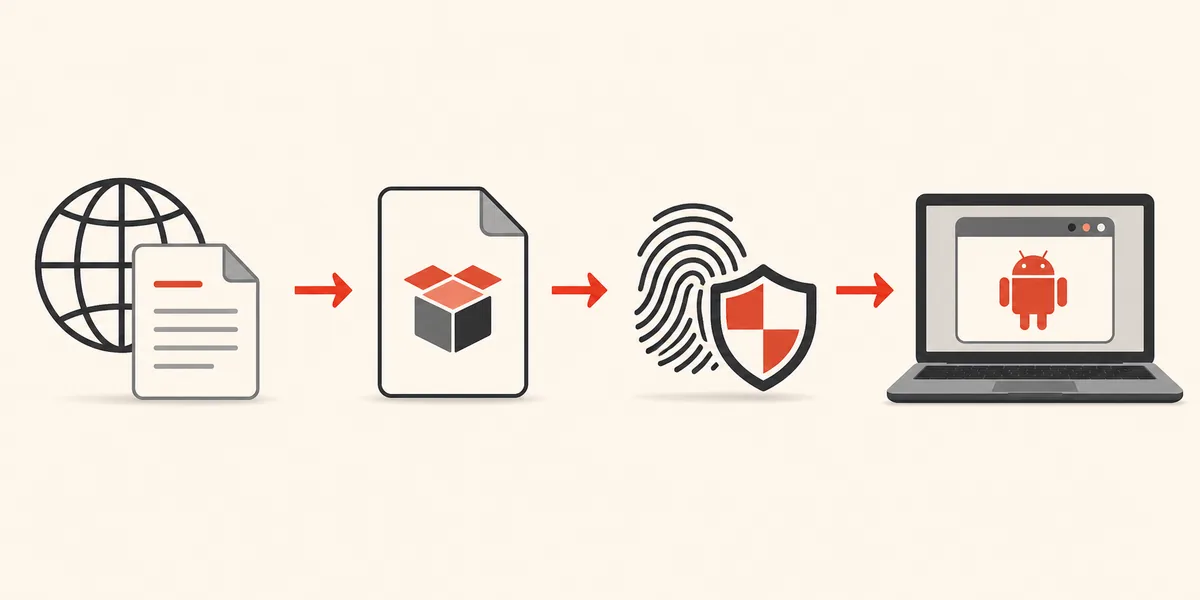
A PC emulator does not make an unknown package safe. You are evaluating two downloads: the emulator and the APK. Get the emulator from its developer-controlled website, preserve its installer information, and check that the Windows download is not a wrapper. Then create an evidence record for the exact APK instead of trusting the filename, icon, rounded size, or a green scan badge.
The most useful fields are the source URL, final file host, exact byte size, SHA-256, package name, version name and code, signing certificate, minimum Android version, CPU architecture, permissions, and release notes. A missing field does not automatically prove malware, but several missing fields mean the package cannot be identified with enough confidence for a direct recommendation.
- 1
Save the source record
Record the page URL, redirect chain, publisher claim, filename, review date, version, and exact byte size before downloading.
- 2
Identify the package
Inspect the manifest for package name, version code, minimum Android version, architecture, and exported components. Do not rely on the visible title alone.
- 3
Compare hash and signer
Calculate SHA-256 and compare the signing certificate with a trusted release record when one exists. A different signer can indicate a repackaged or separate application.
- 4
Review permissions
Map network, storage, accessibility, contacts, SMS, device administrator, overlay, and install-package capabilities to visible features. Refuse unrelated access.
- 5
Test in isolation
Use a disposable emulator profile without a primary account, personal contacts, unrestricted shared folders, microphone, camera, or clipboard synchronization.
How to open Tomato Anime and Manga on Windows
For browser access, open the intended web domain directly, check the address and redirect destination, and avoid shortened links or download codes that hide the final host. A web page can change its catalog or scripts without an APK update, so treat the website and any Android package as separate channels until a publisher connects them with evidence.
For emulator access, do not begin by downloading a random Tomato package. First prepare the emulator, create a clean Android instance, and import only a file whose source and identity you have recorded. If the only available package is a third-party record with conflicting names, sizes, or signatures, stop at the evidence step instead of weakening Windows or Android protections.
Keep the test reproducible. Record the emulator version, Android image, Windows edition, virtualization state, graphics mode, app version code, CPU architecture, and exact error message. That record is more useful than repeatedly changing settings until an uncertain build happens to open.
- 1
Choose the route
Use a browser for web access. Use an emulator only for a verified or clearly identified Android package. Treat a native EXE as separate software.
- 2
Prepare Windows
Use a supported 64-bit Windows system, current security updates, enough memory and storage, and hardware virtualization according to the emulator's documentation.
- 3
Create a clean profile
Keep primary email, contacts, personal files, camera, microphone, clipboard sync, and broad shared folders out of the first test.
- 4
Import and observe
Verify the file again after transfer, review the install warning and permissions, then test orientation, keyboard focus, mouse input, subtitles, playback, storage, and network behavior.
- 5
Revoke and remove
Turn off temporary unknown-app access and delete the emulator instance or package if the signer, permissions, redirects, or behavior do not match the evidence.
Playback, manga reading, controls, and performance
A larger screen does not guarantee a desktop-friendly experience. Anime playback may depend on codecs, remote hosts, subtitles, DRM, orientation, and graphics acceleration. Manga reading may depend on page scaling, scrolling, cache storage, image source availability, and whether the package expects touch gestures.
Test one feature at a time and separate a service limitation from a PC limitation. If the browser works but the emulator does not, compare network and account behavior. If the package opens but controls cannot be reached with a mouse or keyboard, do not install a modded build just to add a pointer layer.
| Symptom | Possible cause | Safer next step |
|---|---|---|
| Video opens but playback stalls | Network path, codec, graphics mode, or remote host | Compare the browser and emulator, update the documented graphics mode, and record the exact host or error. |
| Subtitles or chapters are missing | Remote catalog, region, source, or feature difference | Do not treat a missing title as proof that a new APK or mirror is authentic. |
| Mouse cannot select controls | Touch-first layout or focus handling | Try a temporary trusted input device; stop if the app requests unrelated accessibility access. |
| Emulator is slow | Virtualization, RAM, storage, graphics driver, or background load | Use the emulator's documented settings and keep Windows security enabled. |
| Install or update fails | Wrong ABI, split package, low storage, or signature conflict | Compare package, signer, version code, format, architecture, and hash before replacing anything. |
Current Tomato Animes PC source check: August 13, 2026
The August 13, 2026 review did not find a developer-controlled native Tomato Windows release or a first-party channel that authenticates the third-party com.tomatos.clientapp claim. Uptodown and APKPure records remain third-party comparison evidence; a previously observed 1.4.3 and 98.12 MB XAPK record is not proof of latest, official or safe.
Google Play and direct archive checks were incomplete because some endpoints timed out, and GitHub search did not confirm a developer-controlled release. This page therefore does not provide a Tomato.exe or direct APK button. Keep browser access, emulator software and the Android package as separate evidence chains.
If no verified PC package is available
The safest answer to a PC download search can be “do not install this file yet.” Use the browser route only when the domain and privacy behavior are acceptable, or wait for a developer-controlled store or release page that publishes enough evidence. A random converter cannot turn an APK into a trustworthy Windows application.
If your goal is anime playback or manga reading rather than a particular package, compare lawful services and platform-specific applications available in your region. Do not assume that a working catalog proves distribution rights, and do not enter a primary account or payment details into an unidentified app.
If you already downloaded a file, preserve the original hash and source record, keep it outside shared emulator folders, and follow the [APK safety guide](/safety/) and [Android installation checklist](/how-to-install-tomato-apk/) before opening it.
- Use a browser when the web route is the actual task; do not install an APK just to imitate a website.
- Choose an emulator installer from its developer-controlled website and keep it separate from the APK source.
- Do not disable Play Protect, Windows security, or signature checks to make an uncertain build install.
- Treat mod, cracked, premium-unlocked, ad-free, and bundled PC labels as higher-risk claims that need separate evidence.
- Return to the versions page when the question is which release is newer rather than how to use it on Windows.
Troubleshooting common PC problems
Start with identity and compatibility, not with random settings. A damaged file, split bundle, unsupported CPU architecture, minimum Android mismatch, low storage, incompatible graphics mode, or changed signing key can produce similar messages. Capture the exact text before trying a second download.
If the same file works on a phone but not in the emulator, the package may depend on device integrity, Google services, codecs, orientation, touch input, or hardware features that the virtual device does not provide. That is a compatibility limit, not evidence that a modified build is safer.
For repeated crashes or unexplained redirects, create a new emulator profile, review installed certificates and accessibility services, and remove the package. Keep the source URL, hash, screenshots, and error record so a future release can be compared rather than guessed.
| Problem | What to record | Decision |
|---|---|---|
| Parse or unsupported-package error | File format, Android version, CPU ABI, package name | Stop and verify the source or format; do not fetch a random repack. |
| Signature conflict | Old and new package names, version codes, signer fingerprints | Do not uninstall a trusted copy until the publisher relationship is explained. |
| Black screen or crash | Emulator version, Android image, graphics mode, error log | Test a clean profile and documented settings; do not add a modded APK. |
| Unexpected permission or redirect | Permission name, destination domain, timestamp, screenshot | Revoke access, disconnect sensitive accounts, and remove the package. |
| Manga cache or video storage grows | Shared-folder settings, cache path, file size, deletion behavior | Restrict storage exposure and remove cached data you cannot explain. |
Android and source references
Official Android references support the package, signing, permission, and scanning concepts. Third-party records are included only to show why the current version and package claims remain unresolved.
- Android Developers: App signingPrimary documentation for signing keys and Android update identity.
- Android Developers: PermissionsPrimary overview of Android permissions and protected device data.
- Google Play Protect helpOfficial guidance on app scanning, warnings, and Play Protect behavior.
- Tomato Anime website observed during reviewA web destination checked separately from the unverified APK package claims; website ownership and APK relationship are not assumed.
- Uptodown package recordThird-party com.tomatos.clientapp record used for comparison; not a developer-controlled release page.
- APKPure package recordThird-party package record checked against version, size, and identity differences.
Tomato Animes PC questions
Can I use Tomato Anime and Manga on a Windows PC?
A browser route may work for a Tomato-branded web experience, while an APK needs a compatible Android runtime such as a maintained emulator. We did not verify a native developer-controlled Tomato Windows release.
Is there an official Tomato Animes PC download?
No developer-controlled Tomato.exe or native Windows release was verified during the August 13, 2026 review. Treat a PC installer as separate software that needs its own publisher, signature, and source evidence.
Should I download Tomato APK for an emulator?
Only after recording a traceable source and comparing the package name, version code, hash, signing certificate, architecture, permissions, and format. A third-party date or scan badge alone is not enough.
Which emulator should I use for Tomato Anime on PC?
Choose a maintained Android emulator from its developer-controlled website based on current Windows support, privacy controls, resource use, and input behavior. We do not endorse a specific brand without testing it against a verified package.
Why does Tomato Anime work on my phone but not on PC?
The emulator may differ in Android version, CPU ABI, Google services, codecs, device-integrity signals, graphics mode, orientation, touch input, or storage. Record those variables before seeking a different file.
Is Tomato APK 1.4.3 the latest version for Tomato Animes PC?
No verified first-party latest version was established on August 13, 2026. Third-party records mention 1.4.3 but do not agree enough to label it official or latest.
Can I convert Tomato APK into a Windows EXE?
A converter may repackage the code or add an unknown launcher; it does not establish publisher ownership or safety. Use a transparent Android runtime or a verified native Windows release instead.